
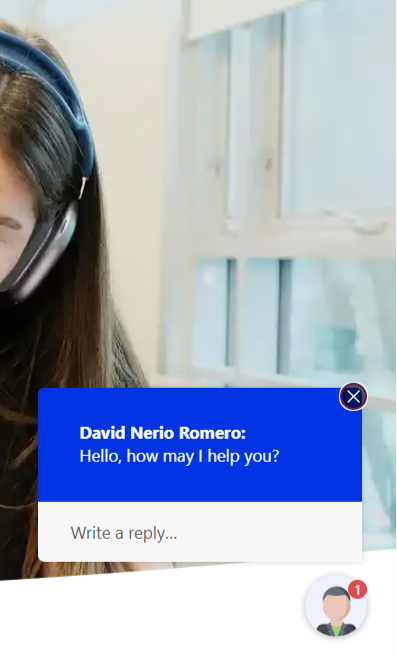
The live digital chat offers a new way for students to connect with the FSC team.
Members of the Saint Mary’s community can now connect with the Fred Smithers Centre for Student Accessibility (FSC) through a new live chat service, providing a convenient way to ask questions and connect with the team online.
The live chat works like a digital drop-in. During staffed hours, students and other members of the Saint Mary’s community can use the chat to ask questions related to FSC services and support, with a member of the FSC team available to respond in real time.
Live chat hours:
Mondays: 10 a.m.–noon
Wednesdays: 9–11 a.m.
Thursdays: 2–4 p.m.
“Reducing barriers is at the heart of what we do at the Fred Smithers Centre,” says Becca Chaytor, Interim Manager, Fred Smithers Centre for Student Accessibility. “Adding a live digital chat tool gives students another way to connect with us in a format that may feel more comfortable and accessible than a phone call or an in-person visit. It means students can ask a question when they have one, without having to worry about knowing exactly where to start or which person to contact. It’s another small but meaningful way we can make support easier to access.”
How to use the live chat
A grey and white chat icon is located at the bottom right section of the browser window on the FSC site. When the live chat is active and an FSC team member is online, the chat icon will turn red.
To start a conversation:
1. Click the chat icon to open the chat window.
2. Enter your name and email address.
3. Select your visitor type.
4. Type your question into the Message box.
5. Select submit.
A member of the FSC team will join the conversation shortly!
Visit the Fred Smithers Centre’s Guided Video Tutorials for a step-by-step demonstration of the chat function.
What if live chat isn't available?
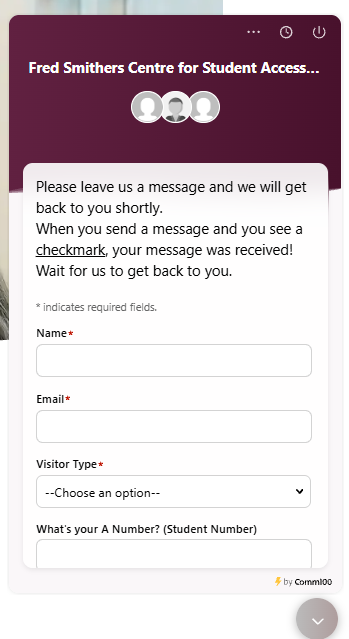
If you visit the chat outside of staffed hours, the chat icon will appear light grey to indicate the chat is not active, and an away message will let you know the team is not currently online.
You can leave a message through the chat, and the FSC team will follow up by email as soon as possible.
Privacy disclaimer
Please do not share sensitive or personal information, such as medical diagnoses or documentation, through the live chat. If you need to provide the Fred Smithers Centre with sensitive or personal information, please send it by email so it can be shared and stored securely.
Please note that FSC chat conversation transcripts are saved and can be accessed by both the user and members of the Fred Smithers Centre team.
Feedback is welcome!
The FSC welcomes feedback from students using the new service. After a chat session, users may be invited to provide a brief rating or feedback about their experience.
Chat users can also share feedback with the FSC at fsc@smu.ca.